Services

Everything you need, connected

Each service works with the others: data entered once is there wherever it is needed.

PMS and property management

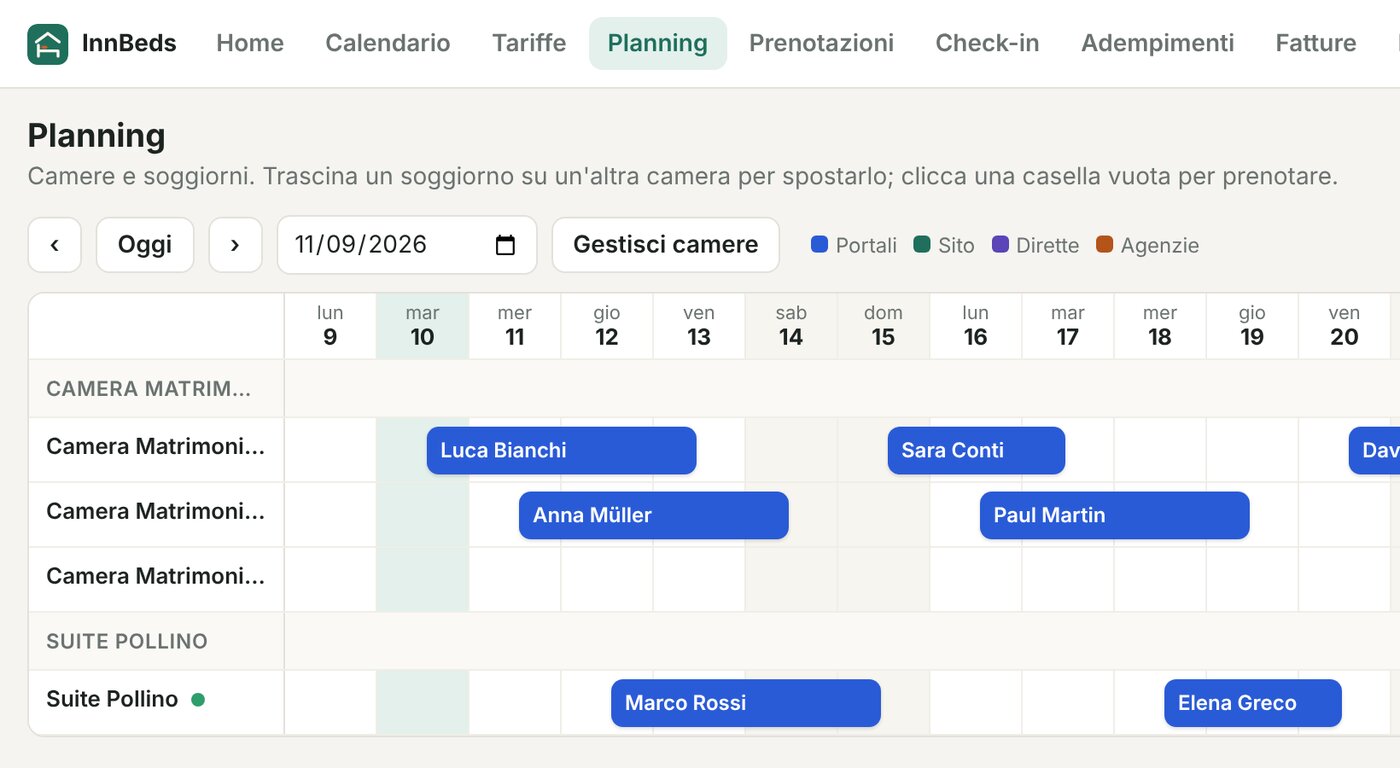
What it does. Bookings, availability, rooms or units and the planning board in one place. Move a guest by dragging them on the board.

What it makes easier. See at a glance who arrives, who leaves and what is still free, without spreadsheets or notebooks.

Learn more →

Channel manager and booking sites

What it does. Connects your property to online booking sites, the OTAs (Online Travel Agencies), such as Booking.com, Airbnb and Expedia.

What it makes easier. Change prices and dates once and availability is updated on the connected sites: less work on each site and less risk of double bookings.

Learn more →

Online pre-check-in

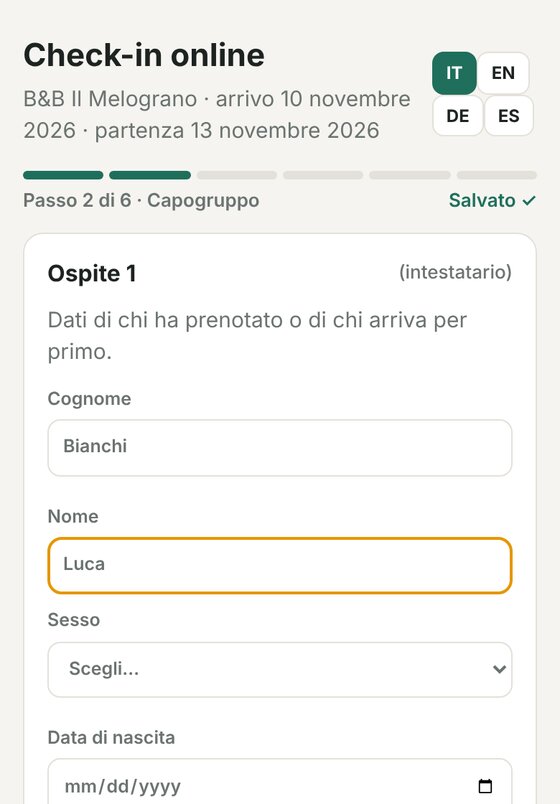
What it does. Guests receive a link and enter their details and ID data from their phone before arriving.

What it makes easier. Check-in is faster and you don’t copy documents by hand: the data is already in the booking and is reused for Italian police and ISTAT reporting.

Learn more →

Direct booking widget

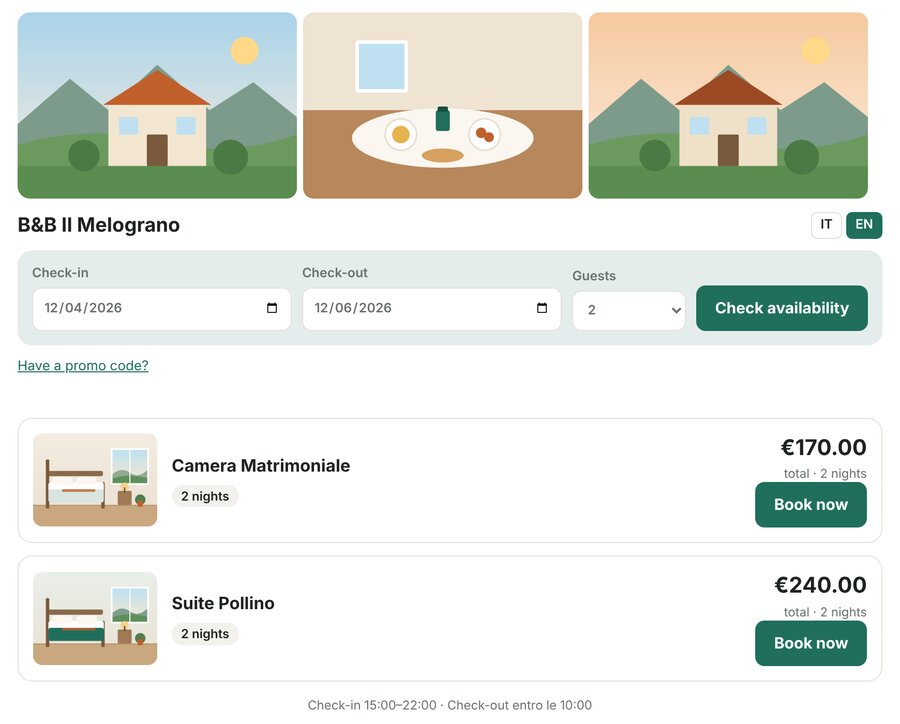
What it does. A booking page and a widget for your website: visitors see availability and book.

What it makes easier. Your website becomes a sales channel. You can take a deposit or full payment online with Stripe or PayPal, if you turn it on.

Learn more →

Google Hotels

What it does. Sends your property listing and prices to Google for free booking links that lead to your booking page.

What it makes easier. People who find you on Google or Maps can book directly with you. Google decides where and when to show the links.

Learn more →

Police reporting (Alloggiati Web) Italy · in testing

What it does. Guest forms are built from check-in data and sent to the Italian police portal from the software.

What it makes easier. No forms to rewrite by hand for every arrival.

Learn more →

ISTAT statistics Italy · in testing

What it does. Prepares daily tourist movement data from bookings and guests, in the format of your region’s system.

What it makes easier. Where the region offers a web service, data is sent from the software; elsewhere you download the file or the filled-in C/59 form.

Learn more →

Tourist tax documents

What it does. Calculates the tax on each stay’s bill using the rules you set (amount, maximum nights, exemptions) and prepares the monthly summary.

What it makes easier. Totals ready for your declaration to the municipality. Filing and payment remain with you.

Learn more →

Guests and records

What it does. Guest data stays linked to their bookings: documents, contacts and stay in one place.

What it makes easier. No scattered archives and no data entered twice.

Guided sign-up

What it does. Paste the link to your website, Booking.com page or Google Maps: name, address, contacts and some photos are read and suggested already filled in.

What it makes easier. You don’t start from scratch: you check, correct and confirm before saving. Setup then continues step by step.

Learn more →
Also includedItalian e-invoices for guests (in testing)Online payments to your Stripe or PayPal accountStaff with separate loginsWorks in the browser and installs as an app on your phone
Who it’s for

For small and larger properties

Manage rooms, apartments or pitches as units, each with its own rates and availability.

Hotels

Several room types, different rates and staff with their own login.

B&Bs

A few rooms, all in one calendar, even from your phone.

Guest houses

Rooms and guests organised, with Italian police reporting from the software.

Holiday homes and apartments

Even a single listing, with the same features as a larger property.

Campsites

Pitches, bungalows and mobile homes managed as units, each with its own calendar.

Current plans cover 1 to 20 units per property. Larger property? Write to us and we will look at it together. Contact us

PMS

Your property on one planning board

The board shows rooms or units in rows and days in columns. Every booking, from any channel, has its place.

  • Availability and rates by day, season and minimum stay
  • Room assignment and drag-and-drop moves
  • Bill, payments and guest documents inside the booking
Watch the tutorial 1:08
Your property on one planning board
Real screen, sample data
Channel manager

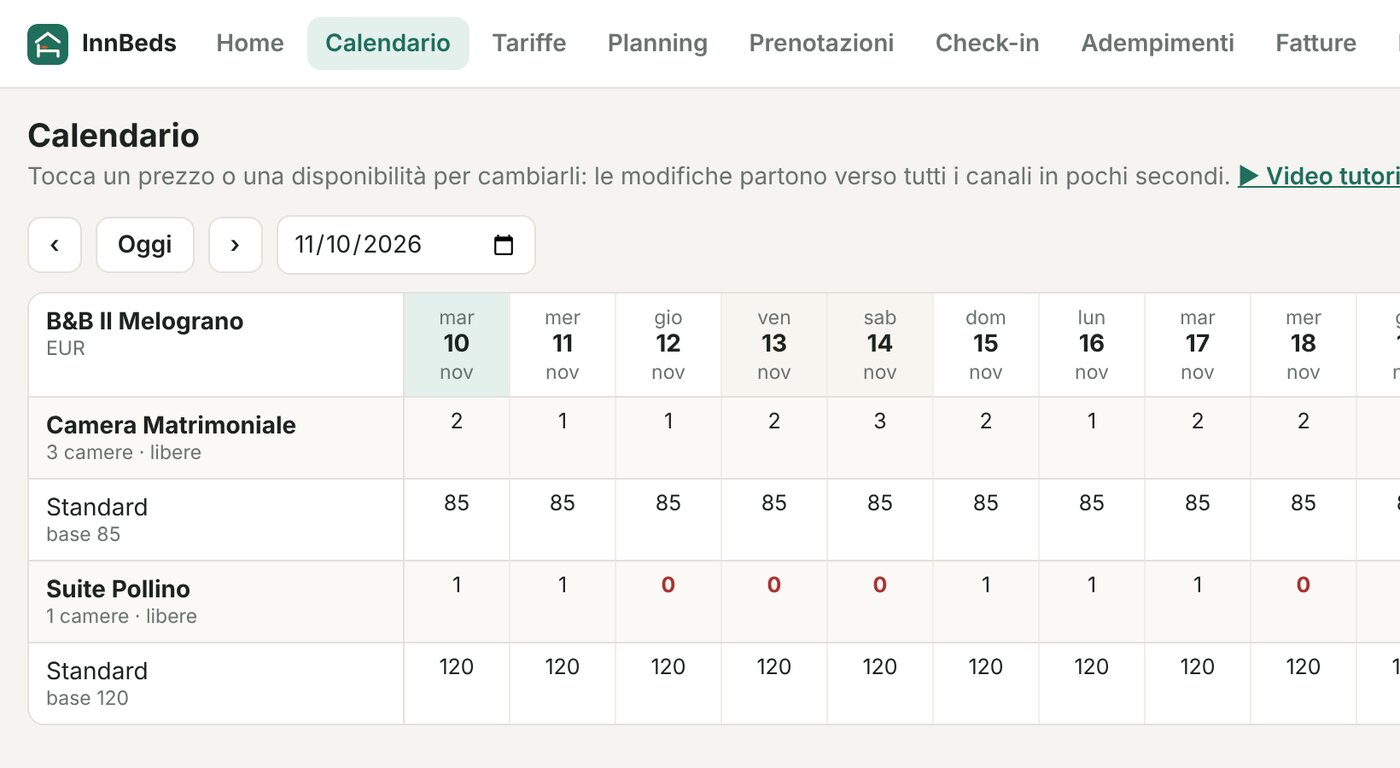
Booking sites in sync, without updating each one

The channel manager connects InnBeds to the OTAs, the online booking sites. When you change a price or close a date, the change goes to the connected sites; when a booking arrives from a site, it lands on the board and availability drops on the others too.

  • Booking.com, Airbnb, Expedia and the other connectable sites
  • Availability, rates and restrictions from one calendar

  • Fewer manual updates and less risk of overbooking
See the connectable sites → Watch the tutorial 1:12
Booking sites in sync, without updating each one
Real screen, sample data
Pre-check-in and data

Collect data once, cut repetitive form-filling

Pre-check-in is the starting point: what guests enter before arriving is reused wherever it is needed.

  1. 1

    The guest completes pre-check-in

    They receive a link before arrival and enter their details and ID data from their phone, in their language.

  2. 2

    The data goes into the booking

    It is linked to the booking and the guest record, without copying.

  3. 3

    Documents and reporting are pre-filled

    Police forms, ISTAT data and the tourist tax summary start from that data.

  4. 4

    You check and complete

    You review the data, correct it if needed and confirm the submission or download the file.

The guest completes pre-check-in
Real screen, sample data
ServiceWhat the software preparesHow it reaches the authority
Police (Alloggiati Web)Guest forms from check-in dataSent from the software to the police portal · in testing
ISTATDaily movement and C/59 formSent automatically where the region has a web service; elsewhere a file to upload or a form to copy · in testing
Tourist taxTax on the bill and monthly summaryFiling and payment to the municipality remain with the property
E-invoicesFatturaPA invoice from the billSent to the Italian exchange system (SdI) · in testing

Where it works: police and ISTAT reporting

Police · Alloggiati WebAll of Italy Connection verified

ISTAT · tourism statistics

  • CalabriaRoss1000 · SIRDAT Connection verified
  • Friuli-Venezia GiuliaWebTur Connection verified
  • UmbriaTurismatica · file to upload Connection verified
  • AbruzzoRoss1000 · Turismo5
  • Emilia-RomagnaRoss1000 · Turismo5
  • LazioRoss1000 · Turismo5
  • LiguriaRoss1000 · Turismo5
  • LombardiaRoss1000 · Turismo5 · ABIT (SO)
  • MarcheRoss1000 · Turismo5
  • MoliseRoss1000 · Turismo5
  • PiemonteRoss1000 · Turismo5
  • SardegnaRoss1000 · Turismo5
  • ToscanaRoss1000 (FI, PT, PO)
  • VenetoRoss1000 · Turismo5

Services in testing. In other regions we prepare the ISTAT C/59 form to copy onto the regional portal until direct sending is available.

Pre-filling is not submitting: for each task the software shows you what is ready and what is missing, and the final word is yours.

Watch the tutorial 1:30
Direct bookings and Google

Your website becomes a booking channel

The booking page and widget show free rooms at your prices. Guests choose dates and book with you.

  • Widget to copy into your website, WordPress included
  • Offers and discount codes
  • Deposit or full payment online with Stripe or PayPal, if you turn it on: the money goes to your account
  • Listing and prices sent to Google for free booking links

InnBeds takes no commission on direct bookings; Stripe and PayPal charge their own fees. Paid Google Hotel Ads are not included.

Watch the tutorial 1:06
Your website becomes a booking channel
Real screen, sample data
Sign-up

Guided setup, step by step

You don’t have to fill everything in alone: start from what is already online about your property.

  1. 1

    Paste the link to your website, Booking.com or Google Maps

  2. 2

    Name, address, contacts and some photos are suggested already filled in

  3. 3

    Italian VAT numbers are checked on VIES

  4. 4

    You check and confirm every detail before saving

  5. 5

    Guided setup then takes you through rooms, rates, booking sites and reporting

Less manual work, more time for guests

Bookings, booking sites, guests and paperwork connected in one system.

Try the software